
SCULPT
How to use colours to enhance understanding.

Why is this important?
Using colour can add vibrancy to your learning content, but it’s important to remember to use it in a way that it’s not the only way you’re conveying information.
- There are approximately 3 million colour-blind people in Britain, approximately 4.5% of our population.
- Colours on a screen or a projector can seem less vibrant in the sunshine and may not be readable if there is too little contrast between foreground and background.
- Tired or older eyes have to work harder when colour contrast is poor, this can lead to eyestrain and headaches.
Selecting colours with the correct colour contrast is important to ensure that as many users as possible can see your content. Checking you have the correct colour contrast ensures that there is little possibility of one of your students not being able to read what you’ve written.
Poor text contrast makes reading harder, good text contrast makes reading easier. Use the Try it yourself controls in the sidebar to see how much harder reading this page is if the text contrast is insufficient.
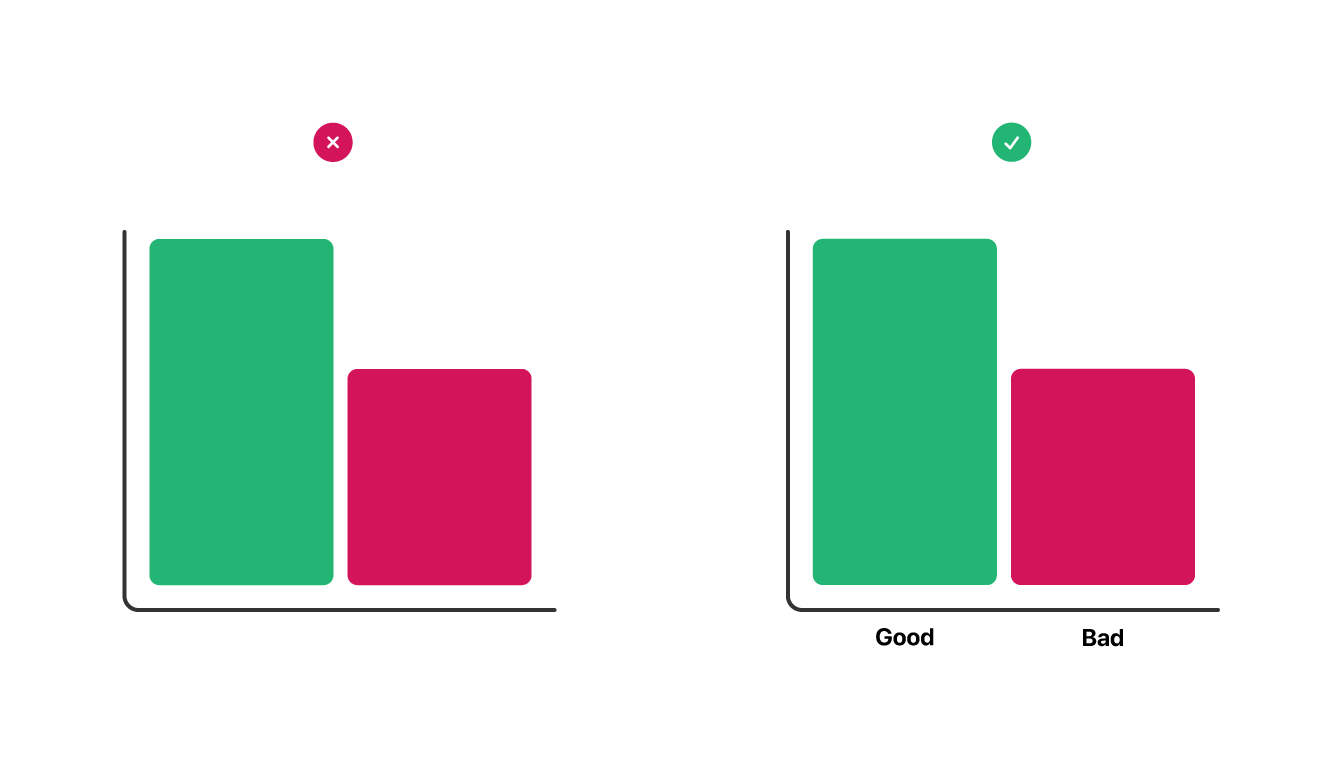
Look at the illustration above as a simple example. The ‘positive’ or ‘good’ bar in the chart on the left hand side might be obvious to some, but it becomes near impossible to distinguish if you imagine the chart in black and white. Whereas in the second example on the right hand side the labelling means that even in the absence of colour the reader can tell which set of data is good and which is bad.
If you’re creating content in Microsoft Office you can use the Microsoft Office Accessibility Checker to list accessibility issues including insufficient colour contrast.
Ensure you have sufficient contrast
In the first instance you need to choose what colours you’re working with, usually this is a white, or light background with a dark text colour. Once you have these you can start to find the difference between the two, or ‘contrast ratio’.
There are many online tools you can use to check the contrast between your background and text colours, one of the clearest and easiest to use is the WebAIM Contrast Checker.
The University is required to meet the WCAG 2.2 AA specification which you can see listed on the WebAIM Contrast Checker results page. Once you have a pass you know you’re good to use those colour combinations in your work.